Llamaverse
Deploying and Using the Llamaverse 2.6.0 Dataset
 Minimum Llamaverse Version: 2.6.0
The llamaverse is the canonical sample environment used throughout our MarkLogic articles. It provides consistent, realistic data so examples stay reproducible across tutorials, API references, and deep-dive lessons.
Llamaverse 2.6.0 expands beyond the original llama profile set and adds richer cross-document relationships, additional content families, a vector-search lab dataset, a curated relevance quality profile, a stronger TDE footprint for Optic-based workflows, a proper grazing-zone polygon corpus for reverse-geospatial drills, and a llama-images content family for storage-internals examples.
What Changed in 2.6.0
Llamaverse 2.6.0 adds a llama-images content family: GIF profile photos for a subset of llamas, stored as regular binary documents at /cleverllamas/llamaverse/content/llamas/images/{uuid}.gif (mirrored under raw/llama-images/ for source browsing). One photo - Aaron's (llamaId 0c8bdb0d-ac62-49b7-ac74-94dbba46efa5, the same llama used in the movement-history examples) - is deliberately registered as an external (registered) binary instead of a regular in-database binary. Its bytes live on the MarkLogic host filesystem at a fixed path outside any forest data directory, and the document node references that path via xdmp:external-binary(). This gives the article set a real, live example of both storage models side by side: xdmp:binary-is-external() returns false for the regular photo binaries and true for Aaron's, and xdmp:external-binary-path() / xdmp:filesystem-file-exists() only make sense against his document. Deploying this registration requires running setup-external-binary-registration.py once against the target host after the standard mlLoadData deployment, since ml-gradle's content loader does not itself construct external binaries.
What Changed in 2.5.0
Llamaverse 2.5.0 is not just a larger corpus. It introduces a more realistic mix of source documents, derived views, vector-focused retrieval content, relevance-quality metadata, geospatial region fixtures, and operational metadata so the rest of the article set can talk about joins, search, extraction, semantic retrieval, and polygon containment without hand-waving.
| Area | New or current data | Why it matters |
|---|---|---|
| Core llama profiles | Structured profiles with heightCm, weightKg, breed, placeOfBirth, medicalCondition, secretPowerId, and description | Gives Optic examples enough shape for filters, joins, and projections |
| Backstories | Narrative documents tied to individual llamas | Lets search and storytelling examples share the same identifiers as the structured data |
| Movement history | Event-style location records | Supports time-aware examples and relationship queries by llamaId |
| Farmlands and shelters | Supporting location and care-network data | Makes the sample environment feel operational rather than synthetic |
| Professions and news | Enrichment and narrative content | Adds extra join targets for mixed content examples |
| Medical conditions and secret powers | Controlled reference data | Gives us stable lookup fields and a realistic foreign-key style join |
| Vector search lab | Retrieval chunks with embeddings and topic families (96 docs, including hard negatives) | Supports robust vector + hybrid retrieval examples with measurable threshold behaviour, confusion analysis, and drift simulation |
| Relevance quality profile | Curated non-zero quality assignments on selected wild llama profile URIs | Enables read-only cts:quality() and ranking diagnostics without runtime mutation |
Deployment Settings
These are the operational settings that matter most when the llamaverse is deployed for article use.
| Setting | Current value | Why it matters |
|---|---|---|
llamaverseMinimumVersion | 2.6.0 | Marks the article set that expects the current dataset shape |
| Article visibility | draft | Keeps the guide out of production until the user is ready to publish |
| Reader user | cleverllamas-llama | Safe default for read-only examples |
| Writer user | cleverllamas-mother | Used only when an example needs writes or ingest behaviour |
Repository and Release Model
Repository: https://github.com/cleverllamas/llamaverse
The project is published as an ml-gradle application. Each release tag represents a reproducible dataset + security + TDE state.
- Source/tag browsing example: https://github.com/cleverllamas/llamaverse/tree/1.0.0
- Release archive example: https://github.com/cleverllamas/llamaverse/releases/tag/1.0.0
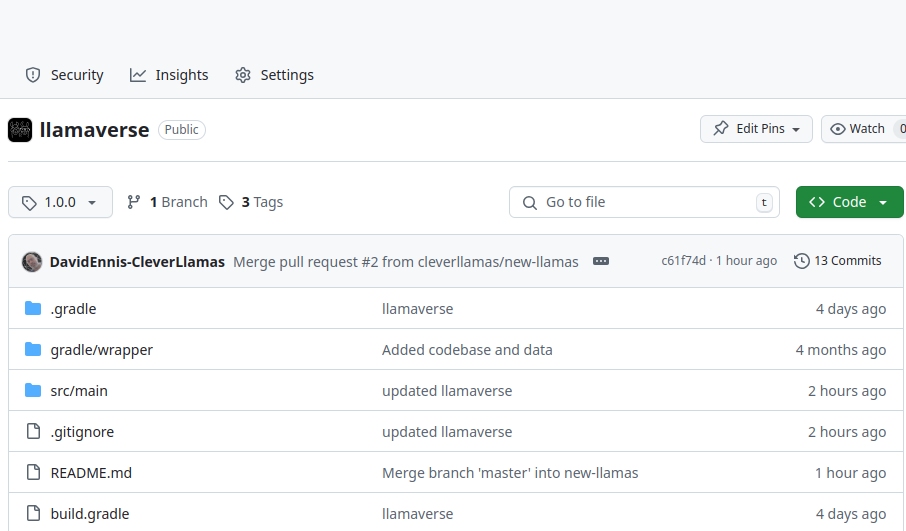
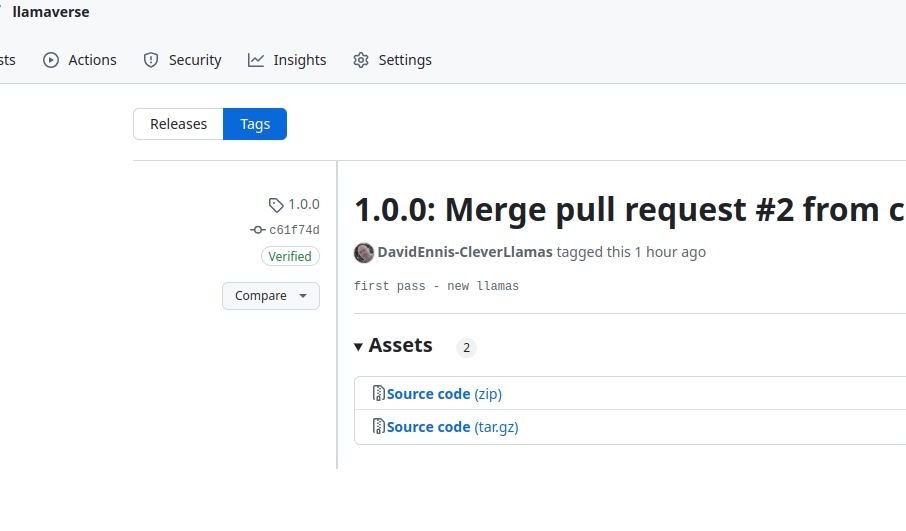
For article compatibility, each article declares llamaverseMinimumVersion. For new and refreshed content, that baseline is now 2.6.0.
What Deployment Creates
A normal ml-gradle deployment sets up more than documents:
- Content and metadata collections.
- Security roles, users, and privileges.
- Default document permissions.
- TDE templates and generated views.
This is why using the packaged deployment is strongly recommended over copying raw files manually.
Security Model
Roles
Two baseline roles are provided:
cleverllamas-llamaverse-reader: read access for standard article queries.cleverllamas-llamaverse-writer: write/update capabilities for ingestion and operational workflows.
| Role | Primary use | Why it exists |
|---|---|---|
cleverllamas-llamaverse-reader | Query and read access | Keeps most article examples safely read-only |
cleverllamas-llamaverse-writer | Ingest and update workflows | Supports examples that need mutation or operational checks |
Users
cleverllamas-llama: reader-facing user for most article examples.cleverllamas-mother: writer-capable user for ingest/update scenarios.
Use cleverllamas-llama for read-only article verification. Switch to writer-capable users only when an article explicitly covers writes, admin setup, or mutation workflows.
Indexes and Why They Exist
The current llamaverse article set assumes the indexes that make the common Optic and lexicon examples work. The key point is not just that the indexes exist, but that each one supports a specific kind of question.
| Index | Type | Why it exists |
|---|---|---|
breed | Range element index | Supports equality, ordering, faceting, and lexicon-style queries on breed values |
heightCm | Range element index | Supports cts:element-reference(xs:QName("heightCm")) patterns used in lexicon correlation examples |
valid-start, valid-end | dateTime range element indexes | Required for valid-time axis creation in temporal examples |
system-start, system-end | dateTime range element indexes | Required for system-time axis creation in bitemporal examples |
/heightCm | Path range index | Supports numeric comparison and ordering on height without forcing document traversal |
/ll:llama-profile/ll:height-cm + path-namespace ll | Namespaced path range index + path namespace binding | Supports namespace-aware cts:path-range-query examples |
Root-level id | Path range index | Supports fast lookup of flat profile documents and non-enveloped content |
/envelope/instance/grazing-zone/boundary | Geospatial region path index | Supports polygon containment, intersection, and reverse-geospatial examples |
wild-llamas collection | Collection lexicon | Gives article examples a stable way to scope the primary llama documents |
| Content-family collections | Collection lexicons | Make it easy to separate backstories, movement history, shelters, and other content families |
The article examples use these indexes in different ways:
breedis the canonical example for discrete value filtering and lexicon access./heightCmis the canonical example for numeric range comparisons.- Collection scoping keeps the primary llama set distinct from supporting narrative and operational documents.
Dataset Families in Llamaverse 2.6.0
Llamaverse 2.6.0 includes both raw and curated content families.
| Dataset family | Purpose | Typical URI area |
|---|---|---|
| Wild llama profiles | Core entity documents for most examples | /cleverllamas/llamaverse/raw/wild-llamas/llamas/ |
| Backstories | Narrative background content | /cleverllamas/llamaverse/content/backstories/ |
| Farmlands | Location/hosting entities | /cleverllamas/llamaverse/content/farmlands/ |
| Llama movement history | Time-series movement events | /cleverllamas/llamaverse/content/llama-movement/ |
| Grazing zones | Polygon region corpus for reverse-geospatial drills | /cleverllamas/llamaverse/content/grazing-zones/ |
| Medical condition reference | Controlled condition definitions | /cleverllamas/llamaverse/raw/wild-llamas/llamas/medical-conditions/ |
| Secret power reference | Controlled secret-power definitions | /cleverllamas/llamaverse/raw/wild-llamas/llamas/secret-powers/ |
| Animal shelters | Supporting location and care network dataset | /cleverllamas/llamaverse/content/animal-shelters/ |
| Profession records | Occupational/profile enrichment dataset | /cleverllamas/llamaverse/content/professions/ |
| Llama news | Narrative/event stream documents | /cleverllamas/llamaverse/content/llama-news/ |
| Vector search lab | Embedding-backed retrieval chunks for semantic/hybrid examples (96 docs, 24 hard negatives) | /cleverllamas/llamaverse/content/vector-search-lab/ |
| Relevance quality profile | Versioned metadata update for selected wild llama profiles | /cleverllamas/llamaverse/raw/wild-llamas/llamas/{uuid}.json |
| Llama profile photos | Regular binary GIF photos, plus one registered/external binary (Aaron) for storage-internals examples | /cleverllamas/llamaverse/content/llamas/images/{uuid}.gif |
The broad pattern is:
raw/holds base source-like entities.content/holds enriched or article-oriented content sets.
Fields Projected by the Main Views
The main Optic/TDE examples depend on a stable set of projected fields. This is the shape that the rest of the article corpus expects.
| View | Field | Why it exists |
|---|---|---|
llamaverse.llamas | id | Stable identifier for joins, lookups, and URI correlation |
llamaverse.llamas | name | Primary display field for most examples |
llamaverse.llamas | breed | Canonical filter and aggregation field |
llamaverse.llamas | heightCm | Numeric comparison and sorting example |
llamaverse.llamas | weightKg | Additional numeric dimension for richer examples |
llamaverse.llamas | eyeColor | Descriptive attribute for projections |
llamaverse.llamas | hairColor | Descriptive attribute for projections |
llamaverse.llamas | placeOfBirth | Geospatial/storytelling context |
llamaverse.llamas | medicalCondition | Optional field that demonstrates safe handling and security-sensitive content |
llamaverse.llamas | secretPowerId | Foreign-key-style join to secretPowers |
llamaverse.llamas | description | Narrative field used in article examples |
llamaverse.secretPowers | id | Join target for secretPowerId |
llamaverse.secretPowers | name | Human-readable power name |
llamaverse.secretPowers | description | Short explanation of the power |
Those are the fields the article corpus actually relies on. If a future dataset release adds more columns, add them here only when they are used by examples or required by deployed templates.
Entity Relationships
The most important relationships are:
- Llama -> Secret Power via
secretPowerId. - Llama -> Medical Condition via
medicalConditionreference values. - Llama -> Farmland/Shelter context through location and movement datasets.
- Movement event -> Llama via
llamaIdin movement history records. - Narrative datasets (backstories/news/professions) -> Llama domain through shared identity and descriptive fields.
TDE Templates Deployed and Why
The llamaverse article set currently depends on these TDE-backed views.
| Template / view | Source context | Why it exists |
|---|---|---|
llamaverse.llamas | /envelope/instance/llamas | Primary view for llama profile data and the most common Optic examples |
llamaverse.secretPowers | Secret-power profile documents | Join target for the secretPowerId foreign-key pattern |
llamaverse.llamas is the view that carries the richest row shape. Its template projects the fields listed above, including optional medical data and the join key to the secret-power view.
llamaverse.secretPowers exists so the article set can demonstrate a real join against a second extracted view instead of flattening everything into one document shape.
If a later release adds another deployed template, add it here only after the article examples start using it.
A practical relationship view:
These links are intentionally useful for joins, range filters, and mixed search patterns in Optic, CTS, and TDE-based examples.
Collections and URI Conventions
Common collection usage in article code:
wild-llamas: primary llama profile collection used by current technical articles.- Additional content collections vary by dataset family and article focus.
Canonical raw llama URI pattern:
/cleverllamas/llamaverse/raw/wild-llamas/llamas/{uuid}.json
Views Available via TDE
Llamaverse 2.5.0 includes multiple TDE-backed relational views for Optic and SQL-style querying.
llamaverse.llamas
This is the most frequently used view in articles. Typical columns include:
idnamebreedheightCmweightKgeyeColorhairColorplaceOfBirthmedicalConditionsecretPowerIddescription
Additional TDE views
The dataset also includes view families used in review and Optic-focused articles, including:
llamaverse.secretPowersllamaverse.wildLlamas
wildLlamas remains the source-facing name used in some Optic examples for the flat profile set, while llamas is the primary extracted view name used in the current article corpus.
Depending on the release tag and deployed template set, additional supporting views may be present for specific content families.
Recommended Workflow for Article Validation
- Deploy llamaverse 2.6.0 through the project tooling.
- Verify reader and writer users are available.
- Confirm the main collections (
wild-llamasand the content families listed above) are present. - Confirm the range and path indexes that support breed and height queries are visible.
- Run
setup-external-binary-registration.pyonce to register Aaron's photo as an external binary, if storage-internals examples are needed. - Confirm the deployed TDE views are visible.
- Apply the relevance quality profile update if your deployment starts from an earlier 2.x baseline.
- Run article examples using
cleverllamas-llamaunless writes are required.
Runtime Validation Snippets
Use these snippets to verify a local deployment before running article examples.
xquery version "1.0-ml";

let $llama-count := cts:estimate(cts:collection-query("wild-llamas"))
let $movement-uri := "/cleverllamas/llamaverse/content/llama-movement/llama_location_history.json"
let $movement-exists := fn:exists(fn:doc($movement-uri))
return (
  "wild-llamas count:",
  $llama-count,
  "movement history present:",
  $movement-exists
)
wild-llamas count:
3000
movement history present:
true
xquery version "1.0-ml";

(: Applies the llamaverse 2.4.0 curated relevance-quality profile. :)
let $profile := (
  <entry uri="/cleverllamas/llamaverse/raw/wild-llamas/llamas/0a6911e5-0d17-44e1-a114-cb747490f469.json" quality="7"/>,
  <entry uri="/cleverllamas/llamaverse/raw/wild-llamas/llamas/8520c251-7abe-4eb4-a0e8-6706bf5c2397.json" quality="4"/>,
  <entry uri="/cleverllamas/llamaverse/raw/wild-llamas/llamas/24a25bb9-b35f-48b3-b01c-d8f4a64d7a2d.json" quality="2"/>,
  <entry uri="/cleverllamas/llamaverse/raw/wild-llamas/llamas/58fc1645-17d2-4732-aded-1e88f637f967.json" quality="0"/>,
  <entry uri="/cleverllamas/llamaverse/raw/wild-llamas/llamas/e3f48f8f-ea2b-4382-8313-02430bf34a45.json" quality="-1"/>,
  <entry uri="/cleverllamas/llamaverse/raw/wild-llamas/llamas/507cf4de-4469-497f-9888-7756c592b119.json" quality="6"/>,
  <entry uri="/cleverllamas/llamaverse/raw/wild-llamas/llamas/19be9dcc-fd35-4c54-b503-63a6a8a1043d.json" quality="3"/>,
  <entry uri="/cleverllamas/llamaverse/raw/wild-llamas/llamas/cd37f616-e707-47f3-99c0-d20def77c1a6.json" quality="1"/>,
  <entry uri="/cleverllamas/llamaverse/raw/wild-llamas/llamas/d50a73a0-c096-4f79-99a0-8bd05a426416.json" quality="5"/>,
  <entry uri="/cleverllamas/llamaverse/raw/wild-llamas/llamas/74a7c489-3515-45f9-88bd-2e8261a7e720.json" quality="2"/>
)
for $entry in $profile
let $uri := xs:string($entry/@uri)
let $new-quality := xs:int($entry/@quality)
let $exists := fn:doc-available($uri)
let $old-quality := if ($exists) then xdmp:document-get-quality($uri) else ()
return
  if ($exists)
  then (
    xdmp:document-set-quality($uri, $new-quality),
    map:entry("uri", $uri)
    => map:with("status", "updated")
    => map:with("oldQuality", $old-quality)
    => map:with("newQuality", $new-quality)
  )
  else
    map:entry("uri", $uri)
    => map:with("status", "missing")
    => map:with("oldQuality", null-node {})
    => map:with("newQuality", $new-quality)
{"oldQuality":7, "uri":"/cleverllamas/llamaverse/raw/wild-llamas/llamas/0a6911e5-0d17-44e1-a114-cb747490f469.json", "newQuality":7, "status":"updated"}
{"oldQuality":4, "uri":"/cleverllamas/llamaverse/raw/wild-llamas/llamas/8520c251-7abe-4eb4-a0e8-6706bf5c2397.json", "newQuality":4, "status":"updated"}
{"oldQuality":2, "uri":"/cleverllamas/llamaverse/raw/wild-llamas/llamas/24a25bb9-b35f-48b3-b01c-d8f4a64d7a2d.json", "newQuality":2, "status":"updated"}
{"oldQuality":0, "uri":"/cleverllamas/llamaverse/raw/wild-llamas/llamas/58fc1645-17d2-4732-aded-1e88f637f967.json", "newQuality":0, "status":"updated"}
{"oldQuality":-1, "uri":"/cleverllamas/llamaverse/raw/wild-llamas/llamas/e3f48f8f-ea2b-4382-8313-02430bf34a45.json", "newQuality":-1, "status":"updated"}
{"oldQuality":6, "uri":"/cleverllamas/llamaverse/raw/wild-llamas/llamas/507cf4de-4469-497f-9888-7756c592b119.json", "newQuality":6, "status":"updated"}
{"oldQuality":3, "uri":"/cleverllamas/llamaverse/raw/wild-llamas/llamas/19be9dcc-fd35-4c54-b503-63a6a8a1043d.json", "newQuality":3, "status":"updated"}
{"oldQuality":1, "uri":"/cleverllamas/llamaverse/raw/wild-llamas/llamas/cd37f616-e707-47f3-99c0-d20def77c1a6.json", "newQuality":1, "status":"updated"}
{"oldQuality":5, "uri":"/cleverllamas/llamaverse/raw/wild-llamas/llamas/d50a73a0-c096-4f79-99a0-8bd05a426416.json", "newQuality":5, "status":"updated"}
{"oldQuality":2, "uri":"/cleverllamas/llamaverse/raw/wild-llamas/llamas/74a7c489-3515-45f9-88bd-2e8261a7e720.json", "newQuality":2, "status":"updated"}
'use strict';
declareUpdate();

const tde = require('/MarkLogic/tde.xqy');

const ONTOLOGY_BASE = 'http://cleverllamas.llamaverse/ontology/';

const CLASSIFICATION_COLLECTION = '/llamaverse/ontology/classification';
const PETS_COLLECTION = '/llamaverse/content/pets';

const classificationNodes = [
  {
    uri: '/cleverllamas/llamaverse/content/ontology/classification/kingdom/animalia.json',
    node: {
      id: 'kingdom-animalia',
      iri: ONTOLOGY_BASE + 'kingdom#Animalia',
      rank: 'kingdom',
      label: 'Animalia',
      description: 'Multicellular eukaryotic organisms that ingest organic matter.'
    }
  },
  {
    uri: '/cleverllamas/llamaverse/content/ontology/classification/phylum/echinodermata.json',
    node: {
      id: 'phylum-echinodermata',
      iri: ONTOLOGY_BASE + 'phylum#Echinodermata',
      rank: 'phylum',
      label: 'Echinodermata',
      description: 'Marine invertebrates with radial symmetry and calcareous skeletons.',
      parentIri: ONTOLOGY_BASE + 'kingdom#Animalia',
      parentPredicateIri: ONTOLOGY_BASE + 'containsPhylum'
    }
  },
  {
    uri: '/cleverllamas/llamaverse/content/ontology/classification/class/holothuroidea.json',
    node: {
      id: 'class-holothuroidea',
      iri: ONTOLOGY_BASE + 'class#Holothuroidea',
      rank: 'class',
      label: 'Holothuroidea',
      description: 'Sea cucumbers, known for elongated soft bodies and benthic habitats.',
      parentIri: ONTOLOGY_BASE + 'phylum#Echinodermata',
      parentPredicateIri: ONTOLOGY_BASE + 'containsClass'
    }
  },
  {
    uri: '/cleverllamas/llamaverse/content/ontology/classification/order/holothuriida.json',
    node: {
      id: 'order-holothuriida',
      iri: ONTOLOGY_BASE + 'order#Holothuriida',
      rank: 'order',
      label: 'Holothuriida',
      description: 'An order of sea cucumbers that includes many shallow-water species.',
      parentIri: ONTOLOGY_BASE + 'class#Holothuroidea',
      parentPredicateIri: ONTOLOGY_BASE + 'containsOrder'
    }
  },
  {
    uri: '/cleverllamas/llamaverse/content/ontology/classification/family/holothuriidae.json',
    node: {
      id: 'family-holothuriidae',
      iri: ONTOLOGY_BASE + 'family#Holothuriidae',
      rank: 'family',
      label: 'Holothuriidae',
      description: 'A family within Holothuriida containing several commercially relevant species.',
      parentIri: ONTOLOGY_BASE + 'order#Holothuriida',
      parentPredicateIri: ONTOLOGY_BASE + 'containsFamily'
    }
  },
  {
    uri: '/cleverllamas/llamaverse/content/ontology/classification/genus/holothuria.json',
    node: {
      id: 'genus-holothuria',
      iri: ONTOLOGY_BASE + 'genus#Holothuria',
      rank: 'genus',
      label: 'Holothuria',
      description: 'A genus of sea cucumbers distributed across tropical and temperate seas.',
      parentIri: ONTOLOGY_BASE + 'family#Holothuriidae',
      parentPredicateIri: ONTOLOGY_BASE + 'containsGenus'
    }
  },
  {
    uri: '/cleverllamas/llamaverse/content/ontology/classification/species/holothuria-scabra.json',
    node: {
      id: 'species-holothuria-scabra',
      iri: ONTOLOGY_BASE + 'species#Holothuria_scabra',
      rank: 'species',
      label: 'Holothuria scabra',
      description: 'The sandfish sea cucumber, common in Indo-Pacific shallow waters.',
      parentIri: ONTOLOGY_BASE + 'genus#Holothuria',
      parentPredicateIri: ONTOLOGY_BASE + 'containsSpecies'
    }
  }
];

const classificationTripleTemplate = {
  template: {
    description: 'Projects ontology hierarchy triples from classification node documents.',
    collections: [CLASSIFICATION_COLLECTION],
    context: '/envelope/instance/classificationNode[fn:string(parentIri) ne "" and fn:string(parentPredicateIri) ne "" and fn:string(iri) ne ""]',
    triples: [
      {
        subject: { val: 'sem:iri(parentIri)' },
        predicate: { val: 'sem:iri(parentPredicateIri)' },
        object: { val: 'sem:iri(iri)' }
      }
    ]
  }
};

const petSpeciesTripleTemplate = {
  template: {
    description: 'Projects pet-to-species ontology triples from pet documents.',
    directories: ['/cleverllamas/llamaverse/content/pets/'],
    context: '/envelope/instance/pets[id and speciesId]',
    triples: [
      {
        subject: { val: 'sem:iri(fn:concat("http://cleverllamas.llamaverse/ontology/pet#", id))' },
        predicate: { val: 'sem:iri("http://cleverllamas.llamaverse/ontology/hasSpecies")' },
        object: { val: 'sem:iri(fn:concat("http://cleverllamas.llamaverse/ontology/species#", speciesId))' }
      }
    ]
  }
};

const classificationTemplateNode = xdmp.toJSON(classificationTripleTemplate);
const petTemplateNode = xdmp.toJSON(petSpeciesTripleTemplate);

const classificationValidation = tde.validate([classificationTemplateNode]);
const petValidation = tde.validate([petTemplateNode]);

// Insert templates first so indexing always uses the latest template logic.
tde.templateInsert('/llamaverse/tde/classification-triples.json', classificationTemplateNode);
tde.templateInsert('/llamaverse/tde/pet-species-triples.json', petTemplateNode);

for (const entry of classificationNodes) {
  xdmp.documentInsert(
    entry.uri,
    {
      envelope: {
        headers: {
          type: 'classification-node'
        },
        instance: {
          classificationNode: entry.node
        }
      }
    },
    {
      collections: ['llamaverse', CLASSIFICATION_COLLECTION]
    }
  );
}

({
  insertedClassificationDocs: classificationNodes.length,
  insertedTemplates: [
    '/llamaverse/tde/classification-triples.json',
    '/llamaverse/tde/pet-species-triples.json'
  ],
  classificationTemplateValidation: classificationValidation,
  petTemplateValidation: petValidation,
  notes: [
    'Template 1 projects parent->child classification triples with IRI subject/predicate/object.',
    'Template 2 projects pet->species triples with IRI subject/predicate/object.',
    'Both templates trigger reindexing for matching documents.'
  ]
});
Troubleshooting Notes
| Symptom | Likely cause | Action |
|---|---|---|
| Article query returns no llama results | Wrong collection name or incomplete deployment | Verify wild-llamas collection population |
| Optic view not found | TDE templates not deployed | Redeploy schema/TDE modules and reindex |
| Permission errors on read | Using wrong user/role | Switch to cleverllamas-llama for read examples |
| Write examples fail | Reader role in use | Use writer-capable user and confirm privileges |
Need Some Help?
Looking for more information on this subject or any other topic related to MarkLogic? Contact Us (info@cleverllamas.com) to find out how we can assist you with consulting or training!
- What Changed in 2.6.0
- What Changed in 2.5.0
- Deployment Settings
- Repository and Release Model
- What Deployment Creates
- Security Model
- Roles
- Users
- Indexes and Why They Exist
- Dataset Families in Llamaverse 2.6.0
- Fields Projected by the Main Views
- Entity Relationships
- TDE Templates Deployed and Why
- Collections and URI Conventions
- Views Available via TDE
- llamaverse.llamas
- Additional TDE views
- Recommended Workflow for Article Validation
- Runtime Validation Snippets
- Troubleshooting Notes